Last updated: August 11, 2026
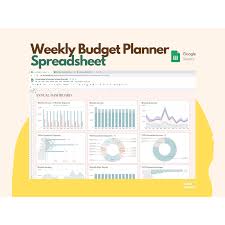
Quick Answer: A Google Sheets budget for a single parent household works best when it has 5 tabs, 7 core columns, and a weekly 15-minute review. It should show, at a glance, what is already spoken for, what is due before the next paycheck, and how much is left for groceries, transport, and childcare. For the topic of how set up google sheets budget single parent household, the point is not a flawless spreadsheet. This needs to be a sheet that tells you, fast, which bills are safe, which money is already spoken for, and what you can actually spend without panic.
Key takeaways
– Use 5 tabs: Monthly Snapshot, Weekly Tracker, Bills Calendar, Notes, Emergency Buffer Goal.
– Use 7 columns: Category, Planned, Actual, Difference, Due date, Paid from, Notes.
– Review the sheet for 15 minutes each week and once a month.
– Protect essentials first: housing, food, transport, childcare.
– Keep uncertain income separate from guaranteed income.
– A 3-tab version can work if you need a simpler start.
Start With the Question a Single Parent Budget Has to Answer
Money stress usually sounds like this: “I don’t know what’s left.” So the budget should answer one thing first — how much can I spend this week without messing up rent, food, transport, or childcare? That is the bit generic advice skips. It talks about categories and percentages before it gets to the part that matters.
Steady income? Build around monthly bills. Uneven income? Use pay periods, then roll them into the month. And if child support, benefits, or gig work are uncertain, keep them separate from guaranteed income until they actually hit the account. For help deciding whether to build around pay periods or months, consult a financial professional if you need help deciding whether to build around pay periods or months; the CFPB recommends budgeting in a way that fits when money comes in and goes out. Single-parent households often live with pressure and unpredictability at the same time: one adult, one set of hands, and no spare margin when school costs land. According to the U.S. Census Bureau, 80% of single-parent households are headed by mothers, which is one reason this budget has to be practical, not pretty.
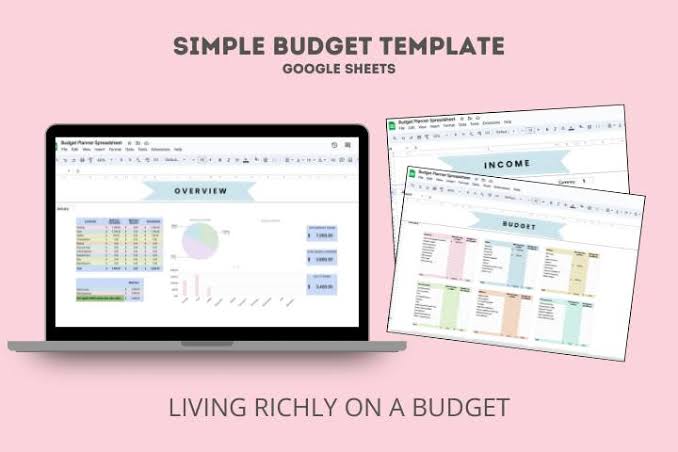
Here’s the shape I would use in Google Sheets:
- Tab 1: Monthly Budget Snapshot
Put income first, then fixed expenses, then variable costs, then savings or debt payments. - Tab 2: Weekly Spending Tracker
Track groceries, gas, school costs, medicine, and kid-related extras. - Tab 3: Bills Calendar
Line up due dates so the cash-flow squeeze shows up before it bites. - Tab 4: Notes / Exceptions
Keep school trips, copays, clothes replacements, and irregular bills here. - Tab 5: Emergency Buffer Goal
Even a small buffer deserves its own place.
That structure matters because a single-parent budget fails when it tries to look tidy instead of useful. Honestly, I’d rather have a plain sheet I open every Sunday than a polished one I abandon by Tuesday. Pretty is nice. Reliable is better.
Quick check: If your main problem is “money disappears before the month ends,” this is your path.
Set Up Google Sheets Budget for a Single Parent Household: The Exact Structure I’d Use

To make the budget work, match it to how your money really moves. Paid once a month? Build around the month. Paid weekly or every other week? Build around pay periods and then roll them into the month. And if child support, benefits, or gig income are uncertain, keep them apart from guaranteed income until they actually arrive.
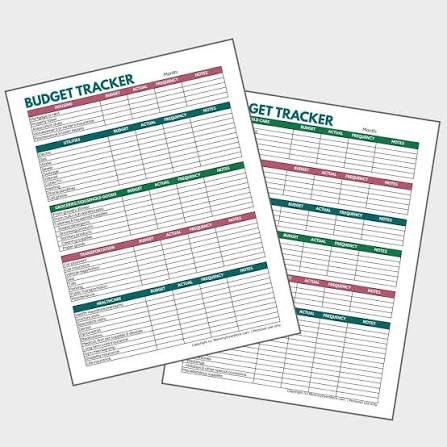
Open a new Google Sheet and create these columns in your main tab:
- Category
- Planned
- Actual
- Difference
- Due date
- Paid from
- Notes
Then use these categories:
- Housing
- Utilities
- Groceries
- Transportation
- Childcare
- School costs
- Health and prescriptions
- Debt payments
- Minimum savings
- Personal spending
- Kid extras
- Irregular expenses
I would not hide childcare inside “miscellaneous.” That is how budgets start lying to you. Sneaky little trap.
A simple setup order
- List every source of money you can count on this month.
- Add fixed bills first: rent, utilities, insurance, debt minimums, phone.
- Add child-related essentials next: childcare, school fees, lunch money, medicines, clothing replacement.
- Add flexible spending: groceries, gas, household supplies, personal items.
- Assign a job to every dollar left: buffer, debt payoff, or savings.
- Set conditional formatting so overspending turns red in the Actual or Difference column.
If formulas help, keep them basic. In the Planned total cell: =SUM(B2:B20) if your planned amounts are in column B. For remaining money: =Total Income - Total Planned Expenses. If that number is negative, the sheet did its job by warning you early.
A generic article would say “track spending.” Too fuzzy. You need to know whether the pressure is rent, childcare timing, or tiny leaks that pile up fast. Put them on separate lines so the pattern shows itself.
Quick check: If you can’t tell at a glance whether childcare is crowding out groceries, your categories are too vague.
If Your Income Is Uneven, Build Around Paydays, Not Calendar Months
When money lands in chunks that do not match your bills, a monthly budget alone will let you down. The better move is a payday-based sheet that tells you what each paycheck must cover before the next one arrives.
This matters a lot for single parents because one delayed payment can ripple into late fees, school stress, and empty cupboards. If you get paid weekly or biweekly, a payday-by-payday setup can help, and the CFPB’s budgeting guidance supports matching bills to the timing of income. A weekly pay cycle means 52 paychecks a year; a biweekly cycle means 26.
Use this payoff-first flow
- Write down each expected paycheck date.
- List the bills due before the next paycheck hits.
- Reserve the fixed bills first: housing, power, transport to work, childcare.
- Set aside grocery money next.
- Leave a small category for kid surprises: field trips, snack day, replacement items.
- Whatever remains goes to debt, savings, or the next bill cycle.
In Google Sheets, I would make a second tab called Paycheck Plan with columns for:
- Pay date
- Amount expected
- Must-pay bills before next check
- Groceries and household goods
- Childcare and school items
- Cushion left over
If a paycheck is smaller than expected, cut from non-essentials first, not from food or transit. If a paycheck is larger, pause before spending the extra and cover the next cycle’s essentials first.
This is where a lot of standard advice falls apart. People love “monthly averages,” but if your due dates stack up before payday, averages won’t save you. Cash flow will. A calendar view inside Sheets makes that plain.
Keep uncertain income separate, too. Put child support, overtime, tax refund money, or gig work in a distinct row labeled not guaranteed until it clears.
Quick check: If you’ve ever had money in the account and still couldn’t pay the next bill, you need a payday budget.
The Categories That Matter Most in a Single-Parent Household

Only have time for a few categories? Make the ones most likely to wreck the month. A single-parent budget usually breaks in the same places: food, transport, childcare, school costs, and medicine. Leave broad bins like “entertainment” and “miscellaneous” for later.
Here is a simple decision table for what to do with different situations:
| Situation | Best Path | Why Other Options Fail |
|---|---|---|
| Income is steady and bills are fixed | Monthly budget with due dates | Weekly-only tracking misses slow leaks |
| Income changes every week | Paycheck-based budget | Monthly averages hide cash shortages |
| Childcare is your biggest variable | Separate childcare from all other kid costs | Mixed categories make it look manageable when it isn’t |
| You use cards to bridge gaps | Track card spending by category and payoff date | “I’ll pay it later” becomes invisible debt |
| You’re always short near the end of the month | Build a bill calendar and fund essentials first | Cutting groceries after the fact is too late |
For the sheet itself, I would set these categories as non-negotiable:
- Housing: rent or mortgage, plus any required fees
- Utilities: power, water, internet if it is needed for school or work
- Transportation: gas, transit, car insurance, repairs
- Childcare / after-school care
- School and activity costs
- Groceries
- Health: prescriptions, copays, basic supplies
- Debt minimums
- Small buffer
You can add a “kid extras” line for birthday parties, class gifts, sports dues, and sudden clothing replacements. That line is not indulgent. It keeps one-off kid costs from blowing up your food budget.
I’d avoid too many subcategories at first. If the sheet turns into a chore, you won’t keep using it. Start simple, then split categories only if one line keeps going sideways.
Quick check: If one surprise school fee throws off your whole plan, your categories need to be more specific.
How to Make Google Sheets Do the Work for You
If you’re the only adult in the house, the budget has to save time. Google Sheets can do that — but only if you use a few basic tools instead of building a fancy system you’ll resent.
Here’s the setup I’d choose:
- Freeze the top row so headers stay visible.
- Use dropdowns for categories like housing, food, childcare, and transport.
- Color-code due dates with conditional formatting so overdue bills turn red.
- Lock formula cells if you share the sheet with an older child or another helper.
- Use SUM, IF, and simple subtraction instead of advanced formulas you won’t remember.
- Create a mobile-friendly tab with just the current week’s spending, because that is the one you’ll update fastest.
Sharing the sheet with a co-parent, family member, or trusted helper? Use Google Sheets sharing carefully. Give edit access only if the person truly needs it. Otherwise, view access is enough. One stray change in a budget sheet can cause real confusion.
I’d also use comments for notes like:
- “Paid school field trip on card; reimburse from tax refund if it arrives.”
- “Dentist copay due next Friday.”
- “Groceries ran high because school lunch week.”
Those notes matter because single-parent budgets are full of exceptions. If you don’t record the reason, next month looks like a mystery instead of a pattern.
If you need a clean formula for remaining money, use:
Income - Fixed Bills - Variable Essentials - Buffer
Not because the formula is fancy, but because it forces you to protect the essentials before everything else.
Quick check: If updating the budget feels harder than paying the bills, your sheet needs fewer features, not more.
When the Standard Advice Is Wrong
If someone tells you to cut all discretionary spending and just “discipline” your way out of stress, ignore the oversimplification. That advice is wrong when the real problem is a timing gap, a childcare spike, or income volatility.
Here are the edge cases where normal budgeting advice breaks down:
-
Situation: You get paid after the rent is due.
What changes: Your calendar matters more than your monthly total.
What to do instead: Use a bill-by-bill payoff plan in Sheets and assign each paycheck to the next due dates first. -
Situation: Childcare changes month to month.
What changes: The biggest cost is not fixed.
What to do instead: Put childcare in its own line, track the actual amount monthly, and build a cushion category for high-cost months. -
Situation: You rely on child support, gig work, or overtime.
What changes: Some income is uncertain.
What to do instead: Budget only the dependable amount as income. Put the rest in a separate “extra” row until it actually arrives. -
Situation: You have debt and a thin grocery margin.
What changes: Aggressive debt payoff can hurt day-to-day stability.
What to do instead: Pay minimums first, protect food and transport, and delay extra debt payments until your essentials are covered. -
Situation: You are juggling medical costs for a child.
What changes: Copays and prescriptions can spike without warning.
What to do instead: Create a health subcategory and keep receipts or notes so the next month reflects reality, not wishful thinking. -
Situation: You share expenses with another adult, but the arrangement is inconsistent.
What changes: “Shared” costs are not guaranteed.
What to do instead: Put your own required share in the budget and treat the other person’s contribution as separate until it clears.
This is the part a generic article usually skips: your budget is not just a spending plan, it is a stress filter. If a rule makes your life harder in a real month, change the rule.
Quick check: If your financial problem is timing, unpredictability, or shared costs, standard percentage budgeting will miss the mark.
A Monthly Review That Actually Helps
Open the sheet only when you feel behind, and it turns into a guilt document. Review it on a schedule, and it becomes a tool. I would do a 15-minute review at the end of each week and a fuller review once a month.
Use this order:
- Check current balance against upcoming bills.
- Mark anything already paid.
- Compare planned vs. actual for groceries, transport, childcare, and kid extras.
- Move money from categories that were too high to categories that were too low.
- Write down one reason the month went off plan.
- Change next month’s budget based on that reason.
That last step matters most. If groceries were low because your child had a school event week, don’t treat it like failure. Adjust the plan. If gas was higher because of extra pickups, make that the new normal until the schedule changes.
A good budget for a single-parent household is not one that never changes. It is one that changes fast enough to keep you steady.
I would also keep one honest line called margin or buffer. Even a small buffer can keep you from overdrafting when a copay, school fee, or broken shoe shows up. No margin? Then it’s not really a plan yet.
Quick check: If your budget only tells you what already happened, it’s too late to help you.
FAQ