Last updated: November 20, 2026
Budget for replacement tech accessories by setting aside a small monthly amount, then using it only for chargers, USB cables, headphones, adapters, power banks, and device cases. That keeps these repeat purchases from wrecking the rest of the month when a charger frays or a headphone jack fails.
Key takeaways
- Treat small tech fixes as a regular bill, not an emergency.
- Start with the items that break most often in your house, not the ones that look cheapest on the shelf.
- Buy replacements only for the device you already own, so you do not spend twice on the wrong cable or adapter.
- Keep one small fund for fast swaps and another rule for avoiding repeat buys of low-quality accessories.
- A tiny monthly set-aside works better than hoping these costs will disappear.
What should I budget for first?

Budget first for the tech accessories that stop daily life, not the ones that are merely annoying. A dead charger, a missing USB cable, or a broken headphone set can block school pickups, work calls, or a child’s tablet for the whole day.
Start with replacement chargers and USB cables because they fail more often than most people expect. Then add headphones, adapters, a power bank, and device cases if your household uses them often. A family that uses one phone charger, two USB cables, one pair of headphones, and one power bank needs a different budget than a house full of shared devices.
The easiest way to decide is to list the items you already replace in a normal year. If your house goes through two USB cables, one charger, one pair of headphones, and one case before the year ends, those are not random surprises. They are recurring costs, just like shampoo or printer ink.
This is also where many budgets go wrong. They leave out the small items because each one feels minor. Then a broken cable, a lost adapter, and a cracked case hit in the same month and the total is no longer minor.
If you want one sentence to remember, use this: budget for the accessory you have already had to replace before, not the one you hope will last forever.
How do I set the amount each month?
Set the amount by turning past replacements into a simple monthly set-aside. If the yearly total is hard to estimate, use the last 12 months of receipts, card charges, or memory from the junk drawer and divide by 12.
A practical version looks like this:
- List every replacement charger, USB cable, headphone set, adapter, power bank, and device case you bought in the last year.
- Add the amounts you spent, even if each purchase was small.
- Divide that total by 12 to get a monthly amount.
- Round up slightly so the fund can absorb one extra purchase without draining the week’s cash.
- Move that amount into a separate category as soon as income lands.
If you do not have full records, start small and honest. A fixed amount that you can keep is better than a number that only works on paper. For many single parents, the right amount is the one that keeps one charger replacement from hitting groceries.
Do not fold these items into a general “miscellaneous” bucket. That bucket gets used for snacks, school forms, and medicine before it ever reaches a broken cable. A named category makes the trade-off visible.
This also works well with irregular paychecks. Set the fund aside on the paydays that are strong enough to handle it, and leave the weaker ones alone. A replacement fund that survives a bad week is more useful than one that looks tidy in a spreadsheet.
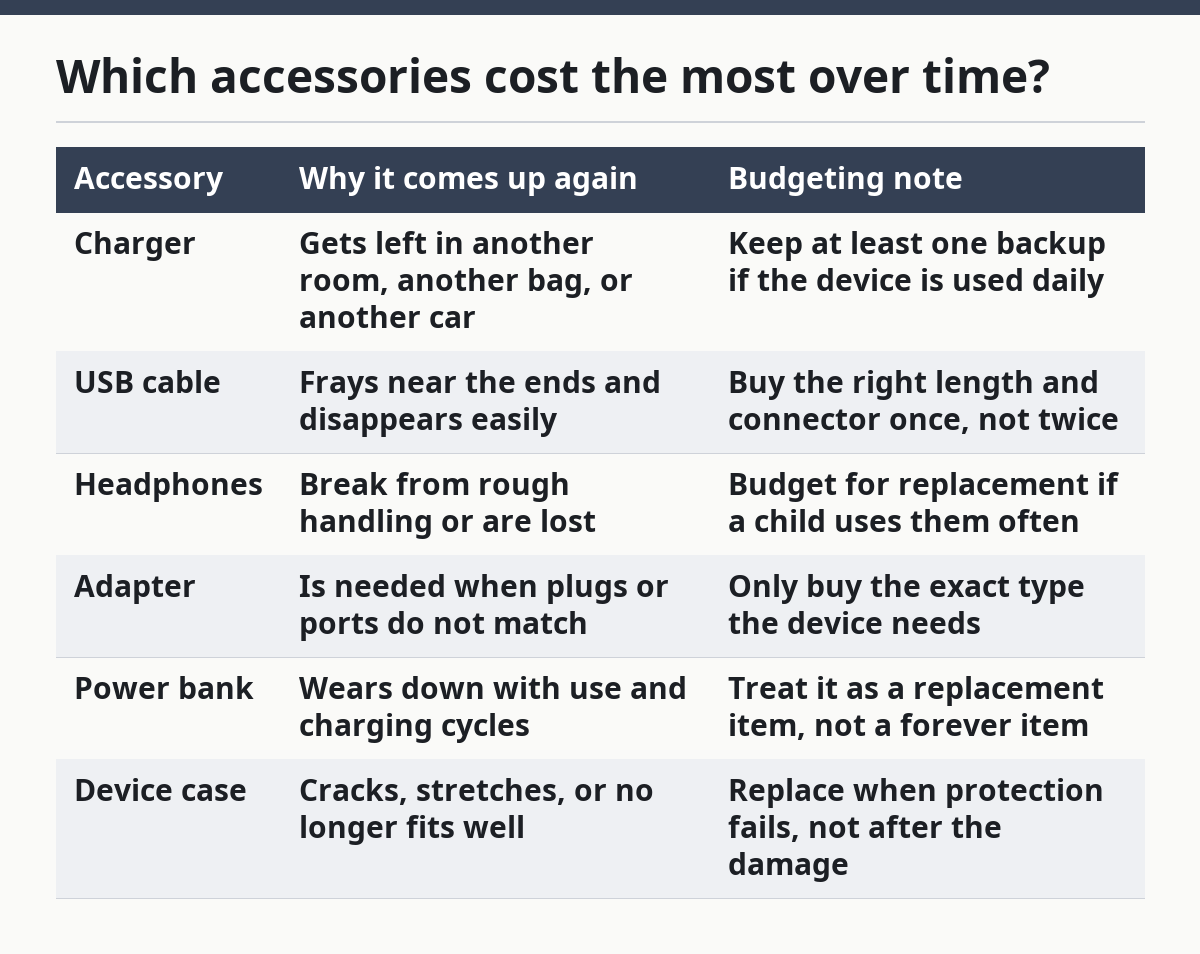
Which accessories cost the most over time?

The accessories that cost the most over time are usually the ones your household uses every day and loses the fastest. Replacement chargers and USB cables often create the most repeat spending because they are easy to misplace, bend, or wear out.
Here is a simple comparison to use when planning the fund:
| Accessory | Why it comes up again | Budgeting note |
|---|---|---|
| Charger | Gets left in another room, another bag, or another car | Keep at least one backup if the device is used daily |
| USB cable | Frays near the ends and disappears easily | Buy the right length and connector once, not twice |
| Headphones | Break from rough handling or are lost | Budget for replacement if a child uses them often |
| Adapter | Is needed when plugs or ports do not match | Only buy the exact type the device needs |
| Power bank | Wears down with use and charging cycles | Treat it as a replacement item, not a forever item |
| Device case | Cracks, stretches, or no longer fits well | Replace when protection fails, not after the damage |
The big mistake is assuming the cheapest item is the cheapest choice. A cable that fails in a few months can cost more than one sturdier cable that lasts longer. The same goes for adapters and device cases.
This is where the page’s rule is simple: budget by frequency, not by sticker shock. A $10 item that you buy three times is a worse deal than a more durable replacement you only buy once. You do not need a perfect price to make that judgment; you need a pattern.
If a child uses headphones daily for school, that category belongs in the budget. If a power bank lives in the car for emergencies, it still belongs in the budget because it is easy to forget until it is gone.
How do I avoid buying the wrong replacement?
Avoid buying the wrong replacement by matching the connector, device type, and use case before you spend anything. A USB cable is not just a USB cable, and a charger that fits one device may be useless for another.
The most common mistake is buying the wrong port shape or plug standard. That creates a second purchase, which means you pay twice and still end up short. For example, a device case must fit the exact model, and an adapter must match the wall plug and the device end.
Use this quick check before checkout:
- Device name or model: write it down exactly.
- Connector type: confirm the end you need, such as USB-C or another standard your device already uses.
- Length: decide whether short, medium, or long cable length actually works in your home.
- Use case: office bag, car, bedside, school bag, or kitchen counter.
- Shared use: decide whether one item serves one person or the whole house.
The USB Implementers Forum explains USB Type-C specifications and naming on its own site, which is useful when you are trying to match a cable to a device: https://www.usb.org/. For general consumer guidance on buying and using electronic accessories wisely, the Federal Trade Commission also has plain-language advice on avoiding bad purchases and protecting your money: https://consumer.ftc.gov/.
That extra minute saves money because the wrong accessory usually fails in one of two ways: it does not fit, or it works poorly and gets replaced again. The budget then takes the hit twice.
This is also the point where single parents can save by standardizing. If most of the household uses the same charger style or cable type, there are fewer one-off purchases. Fewer one-off purchases mean fewer surprise costs.
When should I replace instead of repair?
Replace instead of repair when the accessory is cheap, unreliable, or unsafe to keep using. A frayed USB cable, a charger that only works at a certain angle, or a cracked device case is usually not worth a long repair effort.
Small accessories live in a practical zone, not a sentimental one. If a power bank no longer holds charge well or headphones keep cutting out, repairing them often costs more time than the item is worth. The budget should plan for that reality instead of pretending every item will last indefinitely.
A useful rule is to replace when the fix would take more effort than a basic replacement buy. That is especially true for items that cost less than your usual hour of problem-solving time. Even without assigning a dollar value to your time, the point is simple: a day spent wrestling with a bad cable is a bad deal.
The budget should not be used to rescue items that repeatedly fail. If the same type of charger keeps breaking, the answer may be a better quality replacement, not a bigger repair budget. That is a trade-off worth naming honestly: a sturdier accessory may cost more up front, but a string of cheap replacements costs more over time.
Do not keep using a damaged charger just because it still works sometimes. That habit creates a second problem, because the next failure usually arrives at the worst possible time.
How do I keep this from ruining the rest of my budget?
Keep this from ruining the rest of your budget by separating the fund and using it only for replacement tech accessories. A small category with a clear purpose beats a vague pile of “extra” money every time.
Start with a separate line in your budget for chargers, cables, headphones, adapters, power banks, and device cases. Then decide what happens when the fund is empty. The answer should be simple: wait if the item is nonessential, borrow one temporarily if you can, or postpone the purchase until the next paycheck.
This is also where a single parent has to be practical about risk. A dead charger for a work phone is not the same as a cracked case on a spare tablet. Put urgent household items first and leave the rest for later.
A replacement fund works best when it has one rule and one purpose. The rule is that only accessory replacements come out of it. The purpose is that the rest of your budget stays intact when a cable breaks on a Tuesday.
A lot of people try to solve this by buying extra accessories in bulk. That can work for plain USB cables, but it also creates clutter and hides waste. If you buy three chargers because they were on sale, then lose track of where they are, the budget still loses.
What if money is tight this month?
If money is tight this month, keep the fund small and protect the highest-use items first. That means replacing the charger or USB cable that keeps daily life moving before you spend on backup extras.
A low-income month does not mean the category disappears. It means you delay the less urgent items and hold the fund to the essentials. If a power bank is rarely used, it can wait. If a child’s headphones are needed for school, that item moves up.
The useful habit is to plan for one small replacement at a time. That is far easier than trying to stock every possible accessory at once. A single-parent budget needs flexibility, not a drawer full of duplicates.
This page sits under the broader single-parent technology and digital service costs hub because these small purchases add up in the same way the larger ones do. They are not dramatic, but they are steady, and steady costs shape a budget just as much as rent or groceries do.
FAQ
How much should I budget for replacing chargers?
Budget enough to cover the replacements you already tend to buy in a normal year. If you do not have a clear record, start with a small monthly set-aside and adjust after a few months. The right number is the one that covers the most common items without pulling money from essentials.
What tech accessories break most often?
Chargers and USB cables usually break or go missing the fastest because they are used every day. Headphones, adapters, power banks, and device cases also wear out, especially in homes where one item gets moved between rooms, bags, or cars. The item that gets handled the most often usually needs replacing first.
Should I keep a small replacement fund for electronics?
Yes, a small replacement fund helps keep surprise costs from hitting the rest of the budget. It works best when it is separate and used only for chargers, cables, headphones, adapters, power banks, and device cases. Even a modest fund is better than paying for every breakage out of groceries or gas money.
Drafted with AI; not yet reviewed by a person.