Last updated: November 19, 2026
Key Takeaways
- A budget reset routine should tell you what money is left, what bills are already spoken for, and what needs a correction right now.
- You set it up by making one fixed check-in, using the same order every time, and keeping the notes short enough to finish in one sitting.
- You should check the bank balance first, then the next due bills, then the category that went off track.
- You clean up spending categories by shrinking the messy ones and leaving the stable ones alone.
A budget reset routine for a single parent means you stop, check the numbers, and fix the plan before the next bill lands. The answer is a 30-minute check of your bank balance, paychecks, spending categories, and calendar, then a quick correction. The steps below settle when to do it, what to look for, and how to restart without making the same mistake twice.
What a budget reset routine should do
A budget reset routine should tell you what money is left, what bills are already spoken for, and what needs a correction right now. Picture this: you have school lunch, rent, and a grocery run all pressing at once, and you need one clear routine that works in 20 to 30 minutes, not a full spreadsheet night.
The point is not to rebuild your whole life. The point is to catch drift early, before one overspent category turns into a missed payment. A good reset routine checks bank balance, paychecks, spending categories, and the calendar in the same pass.
That is the part many generic budgeting guides miss. They tell you to “track spending” and leave it there. A single parent needs a routine that fits around pickup time, late-night dishes, and the fact that cash flow can change twice in one month.
Use this as the shape of the routine:
- Check the bank balance first.
- Compare it with the next 7 to 14 days of bills.
- Look at the categories that move fastest: groceries, gas, child care, school costs.
- Write one correction in your budget notes.
- Set the next reset date before you close the app.
If you want the bigger system around this, the hub page on single-parent budget setup and financial systems sits above this routine and gives the wider structure. This page stays on the reset itself.
How do I set up a budget reset routine for a single parent?
You set it up by making one fixed check-in, using the same order every time, and keeping the notes short enough to finish in one sitting. Picture this: it is Sunday night or the day after payday, and you want a routine that tells you exactly what to do in 30 minutes, not a vague promise to “be better next month.”
Start with a schedule that matches your life, not a finance blog’s ideal week. If payday is every Friday, the reset belongs on Friday morning or Friday evening. If your cash flow is tighter in the middle of the month, add a second reset around day 15. The schedule matters because the routine loses value once the bills are already overdue.
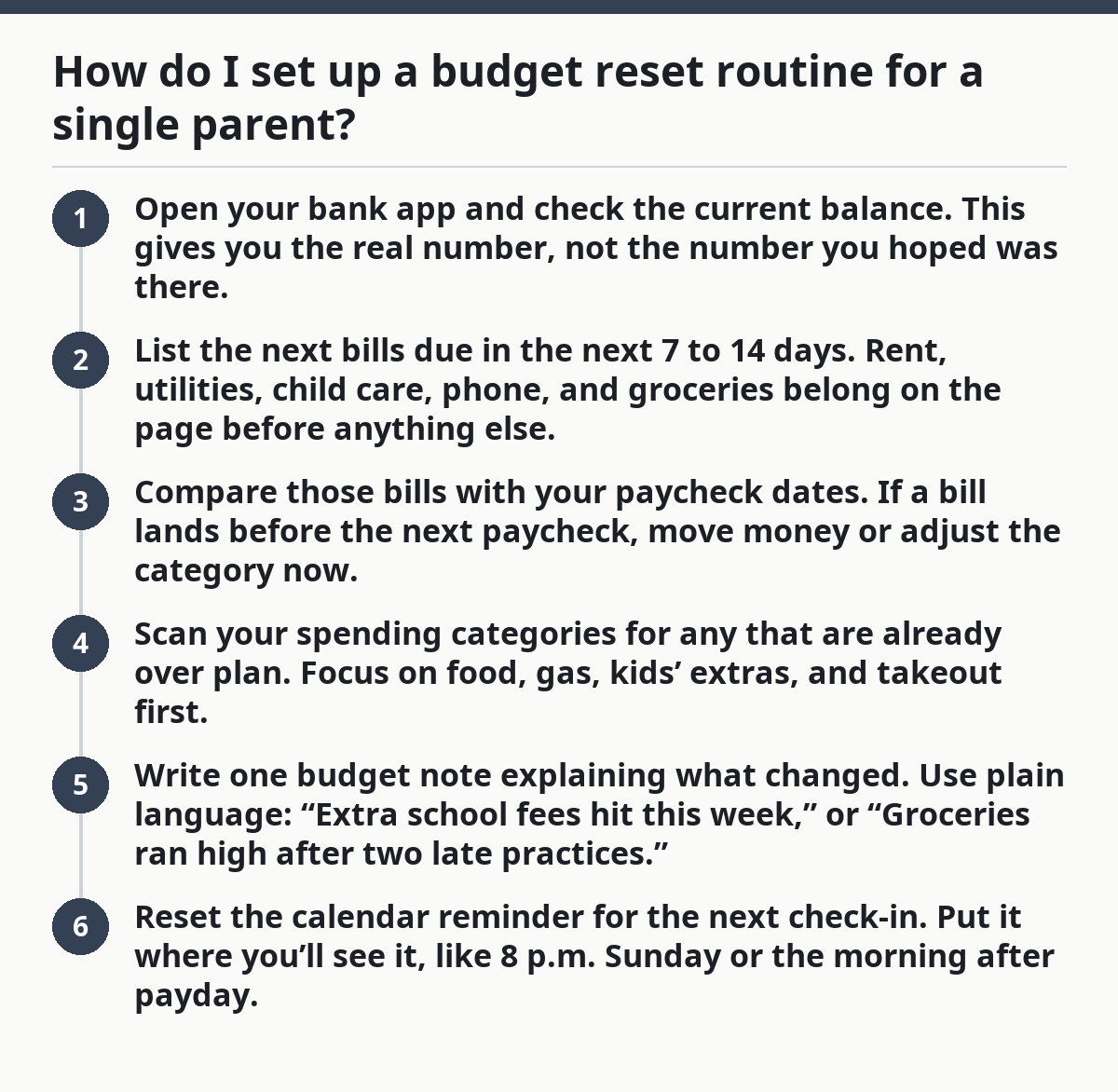
Here is the core procedure:
- Open your bank app and check the current balance. This gives you the real number, not the number you hoped was there.
- List the next bills due in the next 7 to 14 days. Rent, utilities, child care, phone, and groceries belong on the page before anything else.
- Compare those bills with your paycheck dates. If a bill lands before the next paycheck, move money or adjust the category now.
- Scan your spending categories for any that are already over plan. Focus on food, gas, kids’ extras, and takeout first.
- Write one budget note explaining what changed. Use plain language: “Extra school fees hit this week,” or “Groceries ran high after two late practices.”
- Reset the calendar reminder for the next check-in. Put it where you’ll see it, like 8 p.m. Sunday or the morning after payday.
The result should be simple: you know what is safe to spend, what needs to wait, and what needs a correction. If the routine takes longer than 30 minutes, it usually means you are trying to solve next month inside this month’s reset.
What should I check first when my budget slips?
You should check the bank balance first, then the next due bills, then the category that went off track. Picture this: you open your app and see a lower balance than expected, but you still need to know whether the problem is groceries, a car repair, or a bill that posted early.
That order keeps you from guessing. Guessing is how people move money from the wrong place and make the next gap worse. Start with the account total, then look at cleared transactions, not pending wishful thinking. After that, scan for the one or two categories that usually get hit hardest in a single-parent home.
A quick reset check can use this order:
- Bank balance
- Bills due in 7 days
- Paychecks already received
- Spend categories that are already off plan
- Budget notes from the last reset
The truth is, a slipped budget is usually not one big failure. It is often three small things: one extra food trip, one school expense, and one bill that landed earlier than expected. Your reset routine should find those fast.
One useful trick is to mark categories as “safe,” “tight,” or “closed” in your notes. Safe means you can still spend there. Tight means the category has room, but not much. Closed means the money is gone until the next paycheck or next month. That simple label can stop a lot of accidental overspending.
If your budget is slipping every week, the routine is doing its job by showing the pattern. The fix is not to inspect every coffee receipt for an hour. The fix is to correct the next 7 days.
How do I clean up spending categories without starting over?
You clean up spending categories by shrinking the messy ones and leaving the stable ones alone. Picture this: your grocery line is bloated, the kids’ activity category was empty by Tuesday, and you are tempted to rebuild the whole budget from zero. That is usually too much work for too little gain.
A clean-up is a correction, not a punishment. Move money only where the facts say it belongs. If school costs rose by $40 because of a trip form or supplies, write that down and adjust the category. If takeout ran high because of late practices, tighten that category for the rest of the pay period and cut one easier expense.
Use this rule of thumb:
- Keep fixed bills where they are unless the bill itself changed.
- Give variable categories a fresh limit for the rest of the month.
- Do not raid emergency savings for routine overspending.
- Do not pretend a category is fine if the balance says otherwise.
The best part? You only need one or two clean-up moves to get back control. A lot of people try to “fix” ten categories at once and end up confused by bedtime. That is not a system problem. That is too many edits.
A common mistake is wiping every category and starting the month fresh after the 10th or 15th. That hides the pattern and makes it hard to see where the money actually went. Instead, keep the original plan in your notes and add a correction line under it. The old plan tells the story. The correction tells you what to do next.
When should I do a mid-month reset?
You should do a mid-month reset when payday and bills do not line up cleanly, or when your bank balance no longer matches the category plan. Picture this: the month is only half over, but the grocery money is already thin and the next paycheck is still a week away. That is the right time for a reset, not the wrong time.
Mid-month is not about perfection. It is about catching drift before the last 10 days of the month turn into damage control. A single parent often needs this extra checkpoint because child care, school costs, and food spending do not wait for the first of the month.
Use a mid-month reset when any of these are true:
- You have one paycheck left before month-end.
- A category is more than just “a little off.”
- A bill posted earlier than planned.
- You covered a child-related expense that wasn’t in the first draft.
- Your calendar shows a busy week with more car trips, more meals out, or more paid care.
Set the mid-month reset for the same day each month if you can, such as the 15th. If your paycheck rhythm is twice monthly, tie the reset to the second payday instead. That makes the routine easier to remember.
One thing to avoid: waiting until the category is empty before you look. By then, the only choice left is damage control. A mid-month reset gives you room to move money, trim spending, or delay a nonessential buy while there is still time.
What goes in my budget notes after each reset?
Your budget notes should record what changed, why it changed, and what you will do before the next check-in. Picture this: two weeks later, you cannot remember why groceries were high or why the gas category got drained. A short note keeps that from becoming a mystery every month.
Keep the note blunt and short. Write one line for the problem and one line for the fix. A budget note is not a diary. It is a trail you can follow next time.
Use this format:
- Date of reset
- Bank balance snapshot
- Which categories moved
- One reason for the change
- One action before the next reset
Example note style:
- “May 14: groceries over by $36 after weekend soccer trip.”
- “Cut takeout for the rest of the pay period.”
- “Move next reset to Friday after payday.”
A good note also tells you what not to repeat. If the same category is always off by the second week, your plan may be too tight. If you keep forgetting one bill, put that bill on the calendar and the note together. If a charge surprises you every month, it should probably have its own line in the budget.
Here’s the catch: notes only work if you read them. Put them in one place, not five. A notebook on the counter, a note in your phone, or a budget app can all work. What matters is that the next reset starts with the last note, not from scratch.
How do I restart after overspending without quitting?
You restart by correcting the next 7 to 14 days, not by scrapping the whole month. Picture this: one category blew up, the rest of the budget still matters, and you need a way to keep going without turning the whole month into a write-off.
Overspending hurts less when the reset routine already exists. You are not inventing a rescue plan under stress. You are using the same check-in and tightening the next choices. That usually means fewer extras, a smaller grocery list, or a pause on nonessential spending until the next paycheck lands.
Use this restart list:
- Recheck the bank balance.
- Protect the next due bill.
- Refill only the categories that still need real spending room.
- Pause the weakest category for 7 days.
- Leave one note about what triggered the overspend.
Do not start by punishing yourself with a new “perfect” budget. That approach burns out fast. Do not try to fix a $60 grocery overage by guessing at three other categories. Fix the overage where it happened, then protect the rest of the month.
A budget reset routine is strongest when it assumes real life will interrupt it. Kids get sick. School sends home a fee. Gas costs change because your route changes. The routine does not erase those costs. It gives you a place to put them so they do not swallow the whole month.
If you want one sentence to keep: reset, correct, and move on. That is the job.
FAQ
When should I reset my budget?
Reset your budget on a fixed day that matches your cash flow, such as payday, the first of the month, or the 15th. If your money comes in twice a month, a twice-monthly reset often works better than a once-a-month check because it catches category drift sooner.
What do I do after overspending?
After overspending, protect the next bill first, then cut the most flexible category for the rest of the pay period. A clean restart means looking at the bank balance, moving money only where needed, and writing one note about what caused the slip.
How do I restart a budget without quitting?
Restart by keeping the same routine and making a small correction, not by throwing out the whole budget. A shorter grocery list, one paused category, and a fresh calendar reminder are usually enough to get the month back on track.
Drafted with AI; not yet reviewed by a person.