Last updated: November 18, 2026
Key Takeaways
- Match each bill to its cycle so monthly, quarterly, and yearly charges do not blur together.
- Treat internet and a basic phone plan as core; keep streaming as optional entertainment.
- Start with the minimum speed and data your household actually needs, then add only useful features.
- Keep only the streaming services you use this month and pause the rest.
The cleanest way to budget for streaming, internet, and phone costs as a single parent is to separate the must-have communication bills from the nice-to-have entertainment ones, then cap each category before the month starts. In this guide to How to Budget for Streaming, Internet, and Phone Costs as a Single Parent, that means setting a ceiling for your internet bill, mobile phone plan, wi-fi use, and streaming subscriptions so those costs do not drift upward one add-on at a time.
Start with the stack you actually pay for

The first step in How to Budget for Streaming, Internet, and Phone Costs as a Single Parent is to list every recurring communication cost in one place: internet bill, mobile phone plan, extra phone line costs, wi-fi equipment rental if it appears on the statement, and every streaming subscription tied to the household. Put the billing cycle next to each one, because a $15 monthly service and a $45 quarterly service feel different in your budget even when the annual cost is similar.
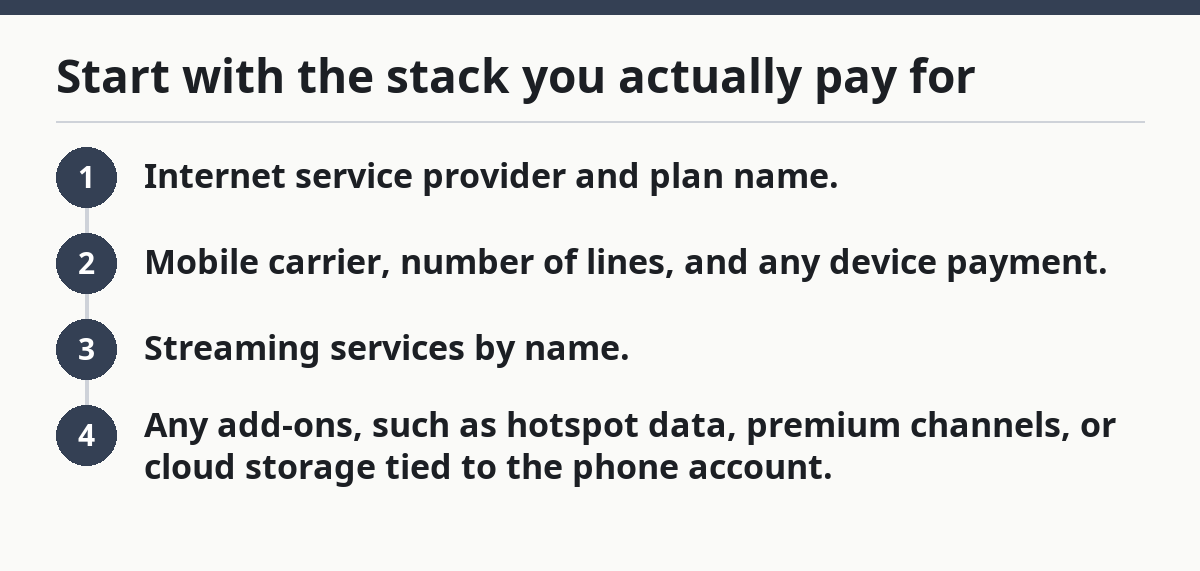
Use a simple four-line list:
- Internet service provider and plan name.
- Mobile carrier, number of lines, and any device payment.
- Streaming services by name.
- Any add-ons, such as hotspot data, premium channels, or cloud storage tied to the phone account.
The goal is not to create a perfect spreadsheet. It is to see the full stack in one place, because hidden costs usually sit in the details: modem rental, taxes and fees, a second line for a child, or a “free trial” that became a paid month. If a charge appears only once in a while, mark it anyway. Even small add-ons matter more than they first appear when they repeat several times a year.
This is where expense planning and category management for single parents becomes practical: the category is not just “bills,” it is a bundle of services that can be trimmed without disconnecting the household.
Which costs are essential, and which ones are optional?
Internet and a basic phone plan are usually the core of the stack, but the right split depends on the household, so check your own situation carefully or consult a financial professional if you are unsure; most streaming subscriptions are optional and should be treated as entertainment, not household infrastructure. That distinction keeps the budget honest. A work-from-home parent may need reliable home internet. A child who needs to call a parent after school may need a mobile line or at least a dependable phone on Wi‑Fi. Three streaming services are never a need in the same way.
A useful test is this: if service stopped for 30 days, would the family lose safety, school communication, work access, or basic coordination? If yes, it belongs in the essentials column. If the answer is only “we’d be bored,” it belongs in the optional column.
That does not mean optional services are forbidden. It means they need a monthly cap. One streaming subscription at a time is often enough for a busy household. Keeping two or three active just because each one is “only” $9.99 or $14.99 is how the entertainment budget quietly swells. The same logic applies to phone upgrades, unlimited data add-ons, and premium channel bundles. Good budgeting starts by saying no to the features that do not solve a real problem.
Be careful with one common trap: bundling. A bundle can save money, but it can also hide the real price of each service. If the bundle makes it hard to tell what internet costs versus what phone service costs, the budget gets harder to control. A bundle is useful only if the monthly total is still lower than buying each piece separately.
For a broader framework, the hub on expense planning and category management for single parents can help keep communication costs in context, and the FCC’s broadband shopping guidance is useful when comparing plans. For streaming-specific billing and cancellation rules, Consumer Reports has a practical overview at https://www.consumerreports.org/electronics-computers/streaming-media/how-to-cancel-a-streaming-service-a3571115756/.
How do I budget for internet and phone?

Budget for internet and phone by setting a fixed monthly ceiling for each one, then choosing the plan that fits your actual use, not the fastest or biggest plan on the shelf. Start with the minimum speed and data your household needs, then add only the features that solve a specific problem.
Here is the core procedure:
- Pull the last 2 or 3 bills for internet and mobile service. Write down the base charge, taxes, equipment fees, line fees, and any overage or add-on charges. The result is your real monthly cost, not the advertised price.
- Count your users and devices. One adult phone, one child’s phone, a tablet, and a laptop create different data needs than one phone and one smart TV. This tells you whether you need one line, two lines, or a larger shared data pool.
- Check how much of the month happens on wi-fi. If the family is home most evenings and weekends, a modest mobile data plan may be enough because video streaming and app updates can move to home internet.
- Choose a cap for each category before browsing plans. For example, decide that internet must stay under one set monthly amount and phone under another. The number itself matters less than the fact that it exists before the salesperson starts upselling.
- Turn off extras you do not need: device protection, paid voicemail, hotspot upgrades, premium support, and paid cloud storage duplicates. Each one is small on its own and expensive in combination.
- Set a review date every 6 months. Compare your current plan to your usage, and keep the same plan only if it still matches how the household actually lives.
That process works because the biggest budget mistake is buying for an imagined month instead of a real one. A parent who spends most evenings at home and at school pickups does not need a massive data bucket. A parent who relies on a phone hotspot during work hours may need a different setup. The right plan is the one that holds up after the third week of the month, not the one that looks flexible on a sales page.
A slightly more expensive plan can still be the better choice if the cheapest tier is unreliable, because frustration, hotspot use, or missed work time can erase the savings.
What’s the simplest way to trim streaming subscriptions?
The simplest way to trim streaming subscriptions is to keep only the services you are actively using this month and pause the rest. That usually means one or two services, not four or five, because most households do not need overlapping catalogs at the same time.
A clean method is to sort subscriptions into three buckets:
- Must keep this month
- Can pause for 30 days
- Can cancel and restart later if needed
Then match the bucket to the calendar. If a child has a favorite show on one platform this month, keep that service. If the household is rewatching the same library for the fourth time, pause it and use free options for a few weeks. A 30-day pause is often enough to reset a budget without feeling like a permanent cut.
Watch out for auto-renewals, annual plans, and app-store subscriptions attached to a phone. These are easy to miss because they are not billed like a standard cable package. Check the payment method itself: card statements, Apple or Google subscriptions, and carrier billing can each hide a different streaming charge.
The real cost of subscription drift is not just the monthly total. It also creates decision fatigue. Too many options mean time wasted scrolling instead of watching, and that time cost is invisible until the budget gets tight. If a service is used only once a month, it is probably not earning its place.
A family can often find fast savings here, because cutting two streaming services can free more money in one afternoon than hunting for tiny savings in groceries or toiletries. The trade-off is obvious: fewer entertainment choices. That is not a failure; it is a deliberate swap.
How can I keep wi-fi and family data usage under control?
Keeping wi-fi and family data usage under control means moving heavy use to home internet, setting device limits, and reserving mobile data for outside the house. The cheapest gigabyte is the one you do not use on cellular data.
Start by checking which activities burn through data fastest: video streaming, large app updates, cloud backups, video calls, and hotspot use. A single high-definition stream on mobile can swallow far more data than messaging or email, so the big savings come from moving video to wi-fi whenever possible. The FCC’s consumer guidance on broadband use and device settings is a useful reference for this kind of planning.
Then set a few rules that fit real life:
- Turn on wi-fi at home, school pickup, and any place the family uses regularly.
- Disable automatic app updates on mobile data.
- Set streaming apps to a lower video quality when away from home.
- Limit hotspot use to true emergencies or work-only tasks.
- Schedule backups and large downloads for wi-fi only.
A parent does not need to micromanage every megabyte. The goal is to prevent surprise overages and to keep the phone plan sized to the household, not to a bad habit. If the monthly mobile bill jumps because a child watched several hours of video on cellular data, the fix is not only “be more careful.” The fix is to change the setting so the phone cannot make that mistake easily.
There is one trade-off here. Tight data controls can annoy teenagers and can make travel days harder. That is normal. The answer is not unlimited everything. The answer is to decide in advance when data is allowed to flex and when it is not.
Build a monthly cap that fits a single-parent budget
A workable monthly cap starts with your real take-home income and leaves room for rent, food, transport, and the other bills that cannot wait. Communication costs should be stable enough that you know what they are before the month begins. Variable bills create stress; fixed caps reduce it.
A practical split is to treat internet and phone as fixed essentials, then give streaming a smaller entertainment cap. For example, if the family already has a solid internet bill and phone plan, streaming should be the first category to shrink when money gets tight. That is not because entertainment has no value. It is because entertainment is the most flexible part of the stack.
A good budget also separates “current month” from “next renewal.” If a subscription renews on the 12th and your paycheck lands on the 15th, that timing matters. Put renewal dates on a calendar so you can cancel before the next charge lands. Even one avoided renewal can keep the budget from slipping.
The best version of this system is simple enough to repeat every month without dread:
- One number for internet.
- One number for phone.
- One number for streaming.
- One review day each month.
If the totals keep creeping up, the problem is usually not the math. It is that no one has declared a ceiling. A budget works when it gives each category a job. Internet and phone keep the household connected. Streaming fills spare time only after the essentials are covered.
For a broader framework on the rest of the household budget, the hub on expense planning and category management for single parents can sit above this decision and help the communication line item stay in context.
Common mistakes that make the bill creep up
The biggest mistakes are buying too much plan, forgetting small add-ons, and keeping every subscription “just in case.” Each one costs money every month, and none of them feels large while it is happening.
The first mistake is overbuying internet speed or phone data. A plan marketed as faster or unlimited can sound safer, but it may simply be more than the household needs. The fix is to review actual usage before renewing or upgrading. If the current plan leaves plenty of headroom, there is no prize for paying extra.
The second mistake is ignoring side charges. Equipment rental, taxes, extra lines, premium voicemail, and device protection can push the bill above the advertised rate. A parent who only looks at the headline price can underestimate the real monthly total by a wide margin. The fix is to budget from the statement, not the ad.
The third mistake is letting streaming spread across devices and payment methods. One service on a credit card, another through an app store, and a third as part of a phone bundle is hard to track. The fix is to list every place a streaming charge can appear and cancel by source, not by memory.
A fourth mistake is treating the phone as a backup computer. That often leads to heavy data use, extra storage purchases, and paid cloud upgrades. The cheaper choice is usually to reserve the phone for communication and quick tasks, then use home wi-fi for the rest.
FAQ
What should I cut first: streaming or phone costs?
Streaming should usually go first. A basic phone plan is part of daily family coordination, while streaming subscriptions are easier to pause or cancel for 30 days. If the bill still feels too high after that, the next step is to trim add-ons, not to remove the phone service that keeps the household reachable.
How do I budget for internet and phone?
Budget for internet and phone by using your actual bill history, not the advertised rate. Write down the full monthly cost, set a cap for each service, and review the plan every 6 months. If the household uses wi-fi most of the time, a smaller mobile data plan may be enough, which keeps the total steady.
Drafted with AI; not yet reviewed by a person.