Last updated: November 19, 2026
Key Takeaways
- Keep rent, groceries, and gas separate from the photo fund so this cost stays manageable.
- Save for the option you are most likely to use, not the nicest-looking package.
- Set a cap you can pay without touching rent, groceries, or gas.
- Read the order form before you pay, because hidden costs are usually listed there.
Quick Answer

How to Budget for School Photos as a Single Parent: set aside a small fund before photo day, then pick one option you can afford, often a photo packet, a digital photo, or a retake plan. The steps below show how to do that without turning one school form into a budget shock.
School photos can blow up a tight month if you treat them like a surprise. The fix is to set aside a small school-photos fund before photo day, then choose in advance which packet, digital file, or retake plan fits your budget. The steps below will help you decide what to save and what to skip.
Start with the school photos line in your yearly plan
Picture this: your child brings home a photo packet on a Tuesday, and the order form wants money in five days. You still need lunch money, rent, and everything else, so this one paper suddenly feels bigger than it should. The answer is to give school photos their own line in your budget, even if the amount is small.
Treat photo day like another yearly school cost, and check with your school or a financial professional if you are not sure how to fit it into your plan. It is not a weekly bill, but it does show up every year, and it often includes more than the picture itself: the photo packet, a class picture add-on, or a digital photo download. If you do not name it ahead of time, it gets paid from whatever is left. That is usually the problem.
Use a simple bucket system:
- Set a monthly amount aside in a separate envelope, bank sub-account, or digital category.
- Keep it there for photo day only.
- Roll over unused money to next year if your school photo costs come in low.
A useful starting point is to decide on a ceiling before the order form arrives. For example, you may choose “one small packet or one digital file, not both.” That keeps the decision calm instead of rushed. If you want to compare this with the rest of the year, the hub on annual school and family event costs for single parents belongs with this plan.
Budget rule: decide your limit before the order form shows up.
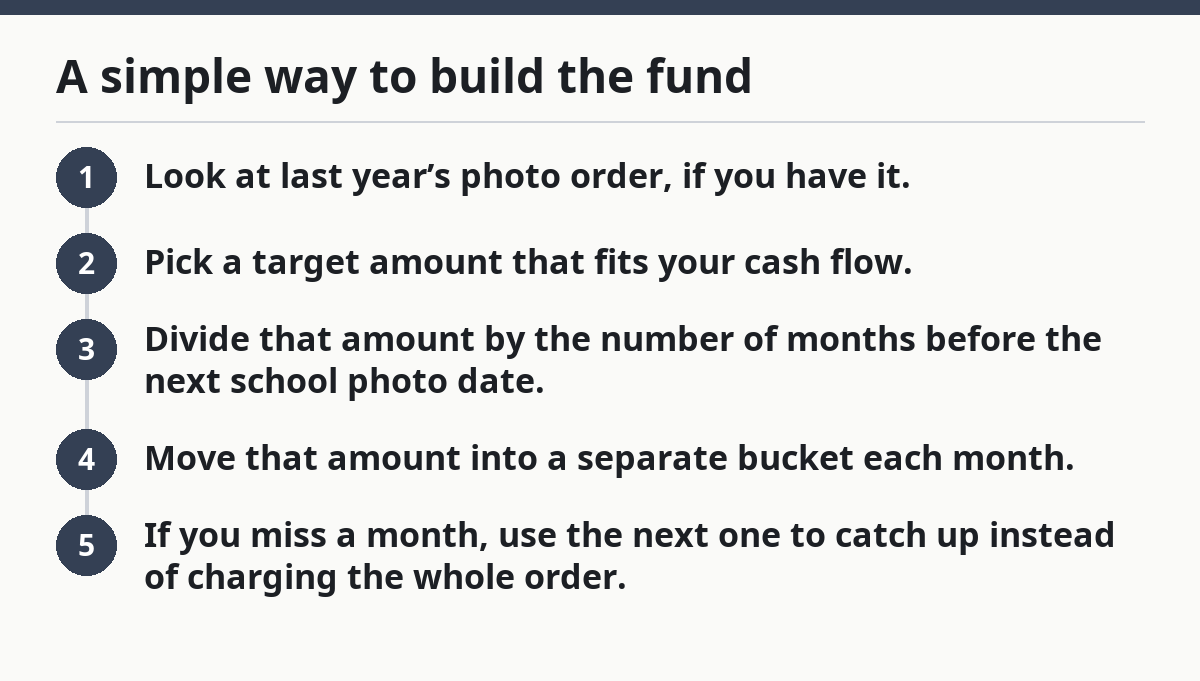
A simple way to build the fund
- Look at last year’s photo order, if you have it.
- Pick a target amount that fits your cash flow.
- Divide that amount by the number of months before the next school photo date.
- Move that amount into a separate bucket each month.
- If you miss a month, use the next one to catch up instead of charging the whole order.
That makes the choice easier before your child smiles for the camera.
What should I save for: packet, digital file, or both?

You should save for the option you are most likely to use, not the one that looks nicest on the order form. Picture this: you are staring at a school portrait sheet with six package choices, and each one sounds like it might be the “right” one. The truth is, most families only need one path.
A photo packet makes sense if you want printed copies for grandparents, a wallet-sized version, or a framed picture at home. A digital photo makes more sense if you want one file you can print later, text to relatives, or use in a yearbook upload. Both can be useful, but buying both can turn a simple school purchase into an expensive one fast.
The budget decision depends on how you actually share photos:
- If you mail photos to relatives, a packet is handy.
- If you print your own 4x6s at a store, a digital file may save money later.
- If you only want one keeper for the fridge, the smallest package may be enough.
Here’s the catch: the order form is designed to tempt you upward. It often starts with the cheapest-looking photo and then adds larger bundles, extra poses, or a class photo. That does not mean you need the upgrade. It means you need a rule before you see the menu.
Budget rule: buy for use, not for guilt.
How do I set a realistic school photo budget?
You set a realistic school photo budget by choosing a cap you can pay without touching rent, groceries, or gas. Picture this: the packet arrives, and the lowest option is fine, but the mid-range one has one extra print and a folder you do not really need. This is where a budget works best.
Start by naming your photo needs in plain language. Ask yourself:
- Do I need one printed picture, or a few copies?
- Do I want a digital photo for later printing?
- Am I likely to want a retake day if the first picture is poor?
- Is there a sibling photo order too?
Then set the cap. Many parents do better with a fixed number instead of “whatever fits.” If you give school photos a ceiling, the decision gets easier when the packet arrives. If the school offers a prepay period, use that window to save a little each month rather than trying to cover the full amount in one week.
A clean way to think about it:
- Minimum plan: one small order, no extras.
- Middle plan: one packet or one digital file.
- Stretch plan: packet plus one add-on, but only if the rest of the month is already covered.
A budget does not have to be fancy. A note in your phone with three photo rules is enough. The point is to stop the packet from making the choice for you.
Common budget mistakes that cost more later
- Buying the biggest packet because it feels safer. That often leaves prints unused.
- Waiting until the due date to decide. Late decisions usually lead to rushed spending.
- Skipping the budget because “it’s only once a year.” That turns a small cost into a surprise.
- Forgetting a sibling add-on or a class photo. Those extras are where budgets go off track.
What should I do with the order form on photo day?
You should read the school portrait order form before you hand over money, because that is where the hidden cost is usually listed. Picture this: your child comes home with a form that includes package codes, a deadline, and a note about retakes. If you wait until the next morning, you may lose the chance to choose calmly.
Use the form in this order:
- Find the basic package and the cheapest option you would actually use.
- Check whether the school offers an online order, paper order, or both.
- See whether sibling photos or class photos are separate charges.
- Choose the option that fits the cap you already set.
If you are deciding between two packages, compare what you will use in real life. Extra poses are nice, but they are not helpful if you never print them. A larger packet can also mean more duplicates than you need. That is money tied up in drawers.
One practical rule helps here: if you can’t explain why you need the upgrade in one sentence, skip it. That sounds blunt, but it keeps you from paying for convenience you will not use.
Budget rule: the form should fit the plan, not replace it.
Should I plan for retake day?
Yes, you should plan for retake day, but only as a backup, not as a guaranteed second purchase. Picture this: the first photo has closed eyes, a bent collar, or a face your child hates, and the school offers one more chance. That can help, but it can also lead to another round of spending if you are not careful.
Retake day affects your budget in two ways. First, it can save you from buying a photo you do not want. Second, it can tempt you to order twice if the school requires a new form or if the first session already charged you. Some families plan for retakes by keeping a small reserve in the photo bucket. That reserve does not need to be large; it just needs to exist.
Use this rule:
- If your school allows retakes without extra cost, keep the first order small and wait.
- If retakes require a second order, treat that as a separate decision.
- If your child is hard to photograph, set aside a little more than your minimum cap.
Retake day is not a reason to overbuy the first packet. It is a reason to avoid panic. If the first photo is good, your reserve can stay untouched. If it is not, you already have a plan.
Budget rule: keep a small backup for retake day, not a second full order.
How do sibling photos and add-ons change the budget?
Sibling photos and add-ons can double the bill faster than the portrait itself. Picture this: one child’s order feels manageable, then the school offers a sibling shot, a class photo, and a second copy for a grandparent. Each item looks small alone. Together, they can break the budget.
This is where single parents get squeezed most. You are often comparing school photo costs against a whole household budget, not against a casual spending fund. So decide ahead of time which add-ons matter:
- A sibling photo, if it will actually be shared or framed.
- A class photo, if your child likes having one.
- A second print, only if someone specific needs it.
- An upgraded package, only if the extras will be used.
A good rule is to choose one “extra lane” and leave the rest. If you want the sibling photo, skip the larger packet. If you want the digital file, skip the second print. That trade-off keeps the budget from growing by accident.
On the flip side, do not feel forced to buy every item just because it is available on the form. Schools often bundle choices to make the order easier for them, not cheaper for you.
Budget rule: extras must replace something, not sit on top of it.
What is the easiest way to keep school photos from derailing the month?
The easiest way is to make school photos part of a tiny routine: save, choose, order, and stop. Picture this: the packet arrives, you already have money set aside, and the only decision left is which option fits your plan. That is the point of budgeting in the first place.
A simple month-by-month rhythm works well:
- Before school photo day: add money to the photo fund.
- When the order form comes home: compare it with your cap.
- Before the deadline: place the order you already planned for.
- Afterward: move any leftover money toward the next year’s photo fund.
If your school uses online ordering, keep the order code or form in the same place every year. A phone note, email folder, or envelope in a drawer is enough. The goal is not perfect organization. The goal is not scrambling.
You do not need a big photo budget to do this well. You need a small one that is ready when the form arrives. That is the whole trick.
Budget rule: small, planned, and ready beats last-minute and larger.
FAQ
Are school photos optional?
Yes, school photos are usually optional. If the school sends home a photo packet, you can often choose not to buy it and still have your child take part in photo day. If you are unsure, check the order form or school notice, because policies can vary.
How much do school photos usually cost?
School photos can cost little or a lot depending on the packet, the number of prints, and whether you choose a digital file. The safest budget move is to treat them as a flexible school expense and set a cap before photo day. That keeps the cost from becoming a surprise.
Should I buy the photo package or just the digital file?
A digital file is usually the better pick if you plan to print photos yourself or share them online with relatives. A photo package makes more sense if you want ready-made prints without extra work. Choose the one you will actually use, not the one that looks fullest on paper.
Drafted with AI; not yet reviewed by a person.